AI Process Automation: How I Split a Process Into Rules, AI and People
AI process automation without the hype: how I split a process into steps, decide rule, AI or person for each one, and build the exception queue first.

Short answer
AI process automation doesn't mean handing a whole job to a model and waiting. It means breaking the job into steps and deciding, for each step: a rule does this one, AI does this one, a person does this one. Most of the projects I've seen fail had skipped that split.
This article is the method I follow when I build these systems. If you're looking for ideas on what to automate, see AI automation for small business and these AI automation examples. For the bigger picture, read my AI implementation guide.
What process automation is, and what AI adds
Process automation means software does a repeating job instead of a person, from start to finish or for some of its steps. For years that meant rules: "if the amount is over X, send it for approval". Rules work when data arrives clean and in a fixed shape.
AI adds something rules can't do: it reads messy input. An email written however the customer felt like writing it. A photo of an invoice. A PDF that runs to hundreds of pages. Jobs where someone used to "just read it and type it in" can now be done by software. A ChatGPT conversation doesn't do that on its own, and I explain why in ChatGPT for small business. Plenty of companies already do it. According to Eurostat, in 2025 31% of EU enterprises that used AI had put it to work in business administration.
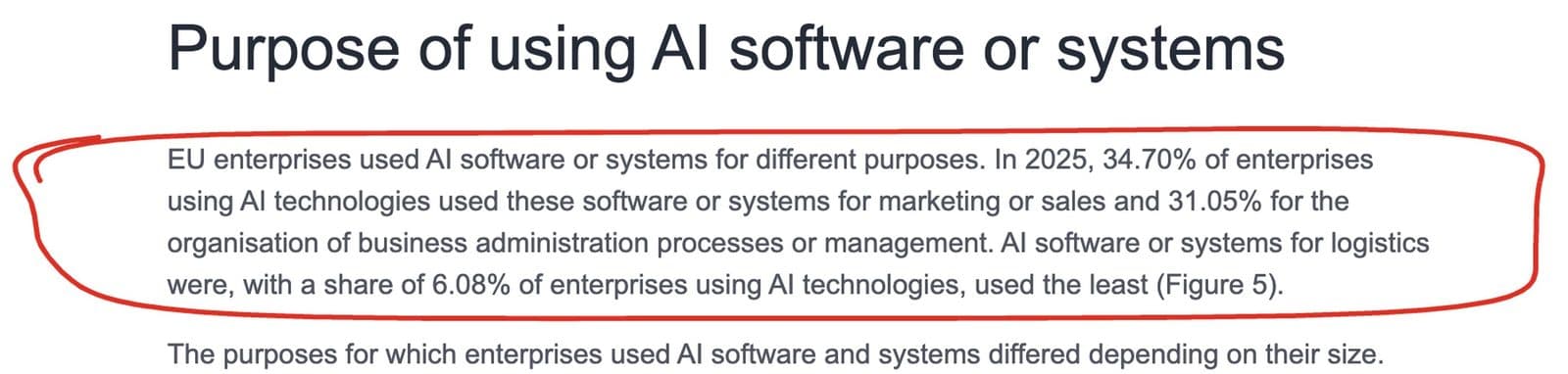 Eurostat, 6 October 2026. The 31% in the text is the 31.05% in the circled paragraph.
Rule, AI or person: the table I use
For every step in a process, I ask what kind of work it is.
| Kind of step | Who does it | Why |
|---|---|---|
| The input always has the same shape (a form, a spreadsheet, an API) | A rule | Cheap, fast, no misreading |
| The input is free text, an image or a scanned document | AI | That's where rules break |
| It needs checking against your own data (price list, manuals, policies) | AI with access to your data | A general model doesn't know yours |
| A mistake costs money or a customer | A person approves | AI makes mistakes with confidence |
| The decision needs judgement or negotiation | A person | There's no "right" answer for the system to learn |
A good automation usually has all three. If every step in your plan says "AI", something is missing.
Step by step: how to automate a process with AI
1. Write the process down as it's done, not as it should be
Sit with the person who does it and write down every click. Where the information comes from, what they check, where they enter it, what they do when something doesn't match. That last part matters most, and almost nobody mentions it unless you ask.
2. Mark every step with the table
Rule, AI or person. If you don't understand a step well enough to mark it, you're not ready to automate it.
3. Design the exception queue before anything else
Whatever the AI isn't sure about, whatever doesn't match, whatever is missing, has to land somewhere a person sees it. A list, an email, a tab. Without it, the system either stops silently or lets mistakes through.
4. Measure before you flip the switch
How many times a week the process runs, how long it takes, how many errors come out. Those are the numbers you'll judge it by later.
5. Run it next to the person
For a few weeks, the system and the person do the same work and you compare the two. That's where the cases nobody thought of turn up.
6. Keep a log of every decision
Every time the AI decides something, write down what it saw and what it decided. When something goes wrong three months later, that log is the only way to understand why.
And if a step talks to customers directly, like a chatbot, the customer has to know they're talking to a machine. The EU AI Act requires it, with transparency rules that apply from 2 August 2026 according to the European Commission.
Example: matching delivery notes to invoices
For a supermarket chain I built a system that matches scanned delivery notes to invoices. Here's how the process splits with the table:
| Step | Who | Note |
|---|---|---|
| Receive the scanned note | Rule | The file lands in a fixed place |
| Read the printed details | OCR | Clean text, classic technology |
| Read the receiving date in the stamp | AI (a model that reads images) | Greek, often crooked or with a signature over it, where OCR fails |
| Find the matching invoice | Rule on the details read | Field comparison |
| Anything that doesn't match | Person | Goes to a list for review |
AI does one step out of five. Without that step, though, the process couldn't be automated at all. I see this a lot. The model is rarely the whole system, but it's often the one piece that was missing.
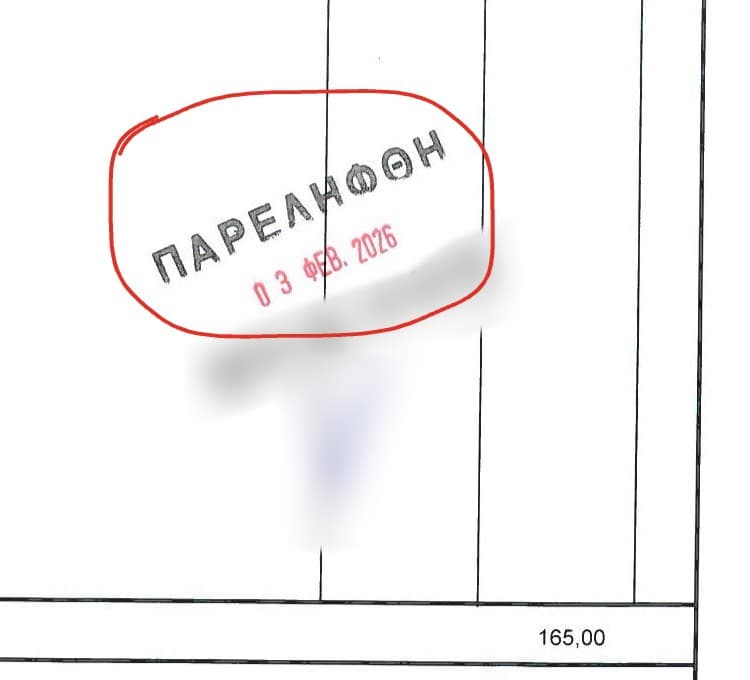 The one step in five that needs AI: the receiving date inside the warehouse stamp, in Greek letters and at an angle. Classic OCR can't read it.
When you don't need AI
Not every automation needs AI. At Volta Suites & Villas in Kato Gouves, Crete, I built a breakfast ordering system: the guest orders, the order goes to the kitchen, and the cost is tracked per room. The input is a form with fixed options, so rules are enough. Putting AI there would have added cost and room for error with no benefit.
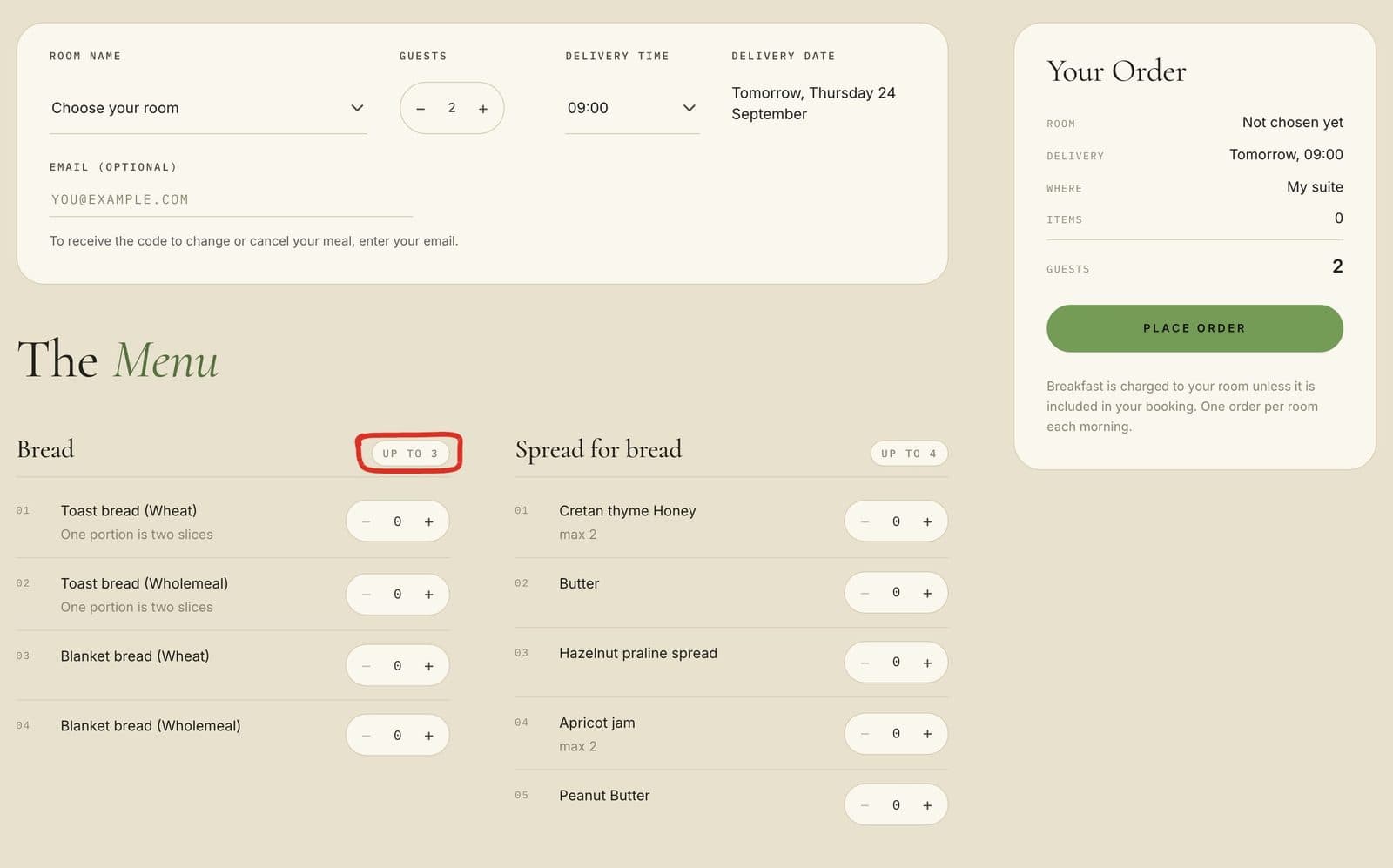 Every field is a fixed choice: room, people, time, quantity with a limit, like the circled one. There's nothing messy for an AI to read, so rules are enough.
My rule: AI only on the step where the input is messy. Everywhere else, plain code.
Where AI workflow automation tools fit
AI workflow automation tools, like n8n, Zapier or Make, connect the apps you already use and can call a model in the middle of a flow. For simple flows between known apps, one of these is often all you need, and I've collected the ones I've built in n8n automation ideas. They're a good place to test whether a model understands your documents.
Where they run out is the same place the table points to: hard documents, your own data, and strict control over who approved what. Past that point, it's code. The method above doesn't change with the tool. You still split the process, mark each step, and build the exception queue first.
The mistakes I see most often
- Automating a bad process. If the process has unnecessary steps, the system will do them faster. Cut them first.
- No exception queue. The system works in most cases, and nobody knows what happens to the rest.
- No owner. Every automation needs a person who knows it's theirs and watches the exception list.
- Connecting whatever is in front of you. Every app you connect is a point that can break when something changes on its side.
AI process automation and your ERP
If you have an ERP, it may already automate parts of the work: orders, stock, invoicing. It handles anything that arrives in a structured form well. AI fits in before that: it reads the emails, PDFs and photos that someone types into the ERP by hand today. You don't need to change ERP. You need a bridge that takes the messy input and passes it on clean. That bridge is what most AI business process automation comes down to in a small company.
FAQ
How does AI automate processes?
It takes over the steps where a person used to read something and decide what it means: an email, a scanned document, a photo. The rest of the process still runs on rules, and anything the AI isn't sure about goes to a person through an exception queue.
What's the difference between process automation and AI process automation?
Classic automation runs rules on data that arrives in a fixed shape. AI process automation adds steps that read free text, images or scanned documents, where a person used to be needed.
Which processes are easiest to automate with AI?
The ones with high volume, a clear correct result, and input that a person "reads" today: sorting emails, reading invoices, answering from manuals or policies.
Should I automate the whole process at once?
No. Start with the step that eats the most time and does the least damage if it goes wrong. The rest comes once you see the first one working.
What is the best AI workflow automation tool?
There isn't one best tool. For flows between apps you already use, n8n, Zapier or Make all work. I build mostly with n8n and custom code, because the hard step usually needs your own data and a log of every decision. Pick the tool after you've split the process, not before.
Will RPA be replaced by AI?
Not on the steps where the input is already structured. RPA clicks through screens following fixed rules, and that's still the cheapest way to do fixed work. AI takes the steps RPA could never do, the ones that read. In the systems I build, the two sit side by side.
What happens when the AI gets it wrong?
That's what the exception queue and the decision log are for. Anything the AI isn't sure about goes to a person, and every decision is recorded, so you can find the cause and fix the system.
Do I need a developer for AI process automation?
For simple flows between known apps, a workflow tool is often enough. To test whether AI understands your documents, even ChatGPT will do, within the limits I describe in ChatGPT for small business. When the process reads hard documents, works on your own data or needs strict control, it needs code.
If you have a process you want to split into steps, describe it to me as it runs today. I'll tell you which steps need AI and which don't. How I work on these projects is on the AI automation consultant page.